
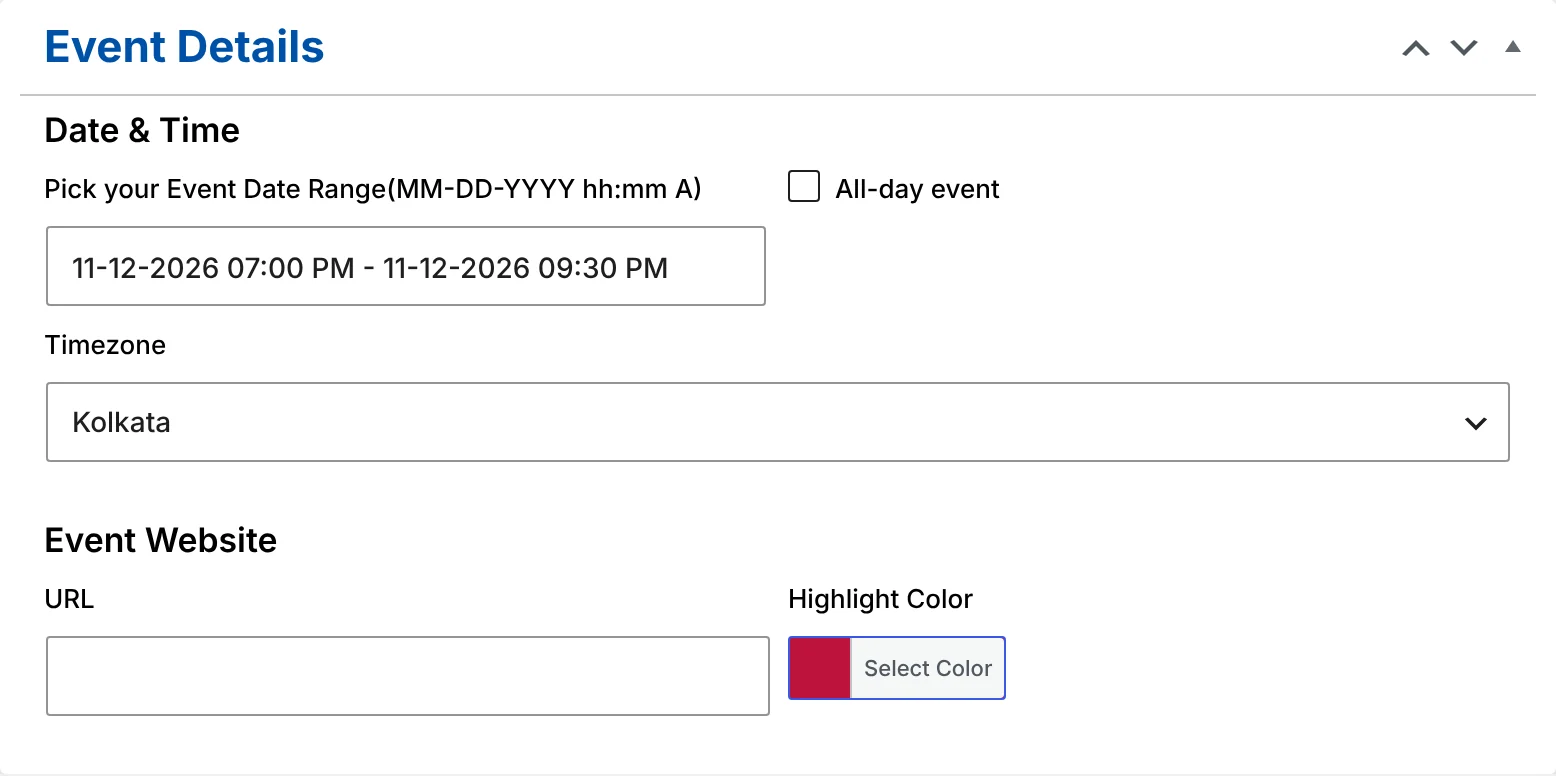
Setting an event timezone
In the event editor, below the date picker, choose the Timezone the event happens in. It defaults to your site’s timezone (Settings → General), so for local events you don’t need to touch it. Pick a city for events held somewhere else — the list is the same one WordPress uses, so daylight-saving changes are handled for you.
You enter times exactly as they appear on the event’s poster: “10:00 to 13:00, Europe/London”. The plugin stores that local time together with the timezone, so the event keeps its wall-clock time even if your site’s own timezone setting changes later.
What visitors see
The calendar converts each event to the visitor’s own timezone, using their browser setting:
| Event | Visitor in London | Visitor in Mumbai | Visitor in New York |
|---|---|---|---|
| Webinar, 15:00 Europe/London | 15:00 | 20:30 | 10:00 |
| Meetup, 18:30 Asia/Kolkata | 13:00 | 18:30 | 08:00 |
(Example times for a date in winter; daylight saving shifts them automatically.)
That means a remote attendee never has to do timezone maths, and an event late in the evening in one place correctly appears on the next day for someone far to the east.
All-day events
Tick All-day event for holidays, festivals, deadlines and anything without a start time. The date picker switches to dates only, and the event covers whole days.
All-day events are pinned to their calendar dates, not to a time: a festival on 20–21 November shows on 20–21 November for every visitor, wherever they are. (A timed event at midnight would drift to the 19th for visitors in the Americas — that’s exactly what the all-day option prevents.)
Upgrading from 1.5
Events created before 1.6 are converted automatically the first time your site loads after the update. They keep the same dates and times, using your site’s timezone. You can then change the timezone or tick All-day on any event.
Event timezone FAQ
Can I show times in the event’s timezone instead of the visitor’s?
Not yet. The calendar always shows local times for each visitor, which is what most remote audiences expect. The event page lists the event’s dates as well.
Does importing from The Events Calendar keep timezones?
Yes. Each imported event keeps the timezone and all-day setting it had in The Events Calendar. Switching guide
What about the timezone option in Events Calendar → Settings?
It’s kept for compatibility with older versions. Since 1.6, each event’s own timezone is what counts.
More features
Gutenberg block
Insert the Monthly Events Calendar block and pick a starting view in the sidebar.
Add to Calendar
One button on every event page saves the event to Google, Apple, Outlook and more.
Categories and tags
Group events by type. Every category gets its own calendar page and address.