
What the add to calendar button does
The button sits in the Event details box on each event page, under the start date, end date and location. A click opens a short menu of calendar services. Visitors pick theirs, and the event is added with its title, start and end time and location already filled in.
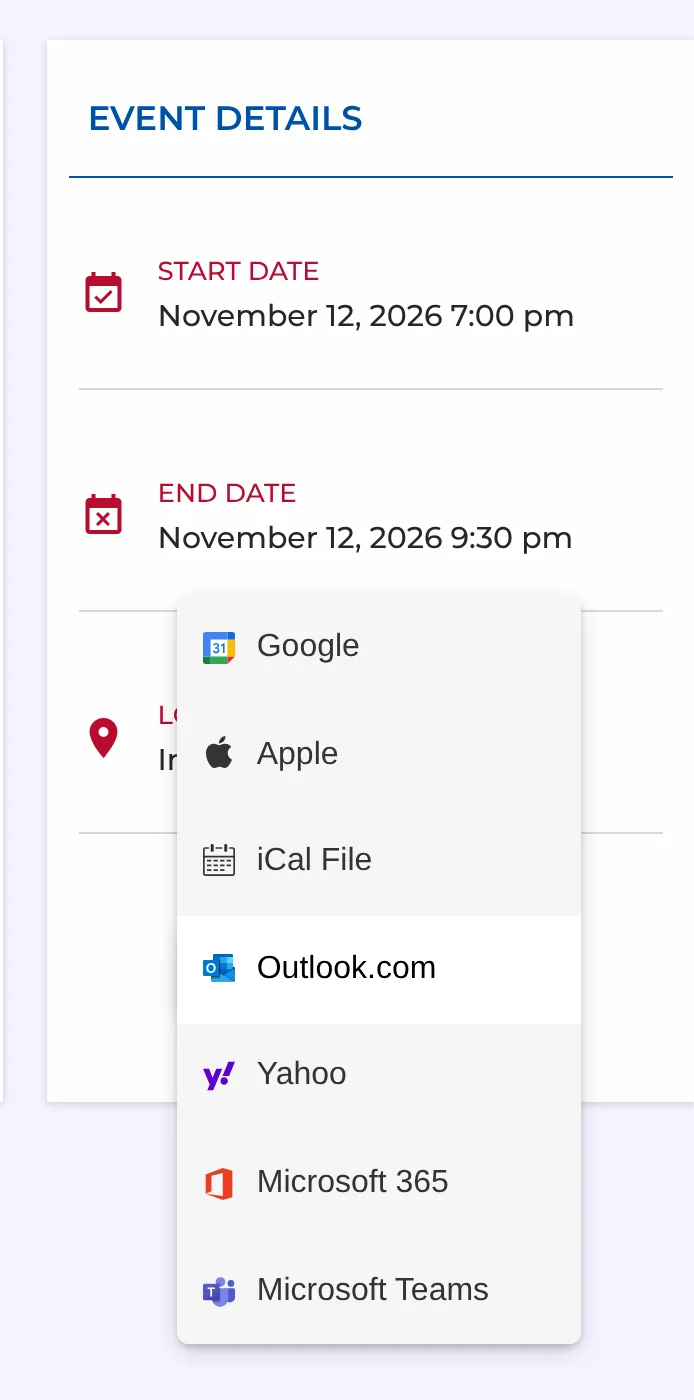
There is nothing to configure. The button appears on every event as soon as the event is published, and it updates itself when you change the date or venue — anyone who saves the event later gets the new details.
Supported calendars
| Option | What happens |
|---|---|
| Opens Google Calendar with the event ready to save | |
| Apple | Downloads a calendar file that opens in Apple Calendar on Mac, iPhone and iPad |
| iCal File | Downloads a standard .ics file for any calendar app |
| Outlook.com | Opens the event in Outlook on the web (personal accounts) |
| Yahoo | Opens Yahoo Calendar with the event filled in |
| Microsoft 365 | Opens Outlook for work or school accounts |
| Microsoft Teams | Opens the event in the Teams calendar |
The .ics options cover everything else: Thunderbird, Fastmail, Proton Calendar and most Android calendar apps can open the file directly.
Why it matters
An event listing is a promise; a calendar entry is a reminder. When someone saves your event, their own calendar app reminds them before it starts — which is the single cheapest way to get more of the people who saw the event to actually turn up.
It also helps when plans change. Because the saved event carries the location you entered, people arriving at a venue can tap the address in their calendar instead of hunting for your website again.
Getting the details right
The button uses what you entered on the event, so a few habits make the saved event better:
- Set the timezone on the event. Version 1.6 saves a timezone with each event, so the saved time is correct for visitors in other timezones. How timezones work
- Use All-day for all-day events. They are saved as all-day entries rather than midnight-to-midnight blocks.
- Choose a venue with a full address. The address goes into the location field of the saved event. Venues and organizers
- Write a clear title. “Riverside Park Clean-up” is more useful in someone’s week view than “Saturday event”.
Related guides
If you want to understand how these links work under the hood — for a newsletter or a ticket confirmation, say — read how an Add to Google Calendar link works. For more ways to get people to show up, see how to promote events on your website.
More features
Categories and tags
Group events by type. Every category gets its own calendar page and address.
Google Calendar import
Paste a Google, Outlook or Apple calendar link and your events appear on your site.
Event submissions
Let members or visitors send events to your calendar, and approve them from your inbox.