
Free on WordPress.org · Version 1.8.2
The free WordPress events calendar plugin that stays out of your way
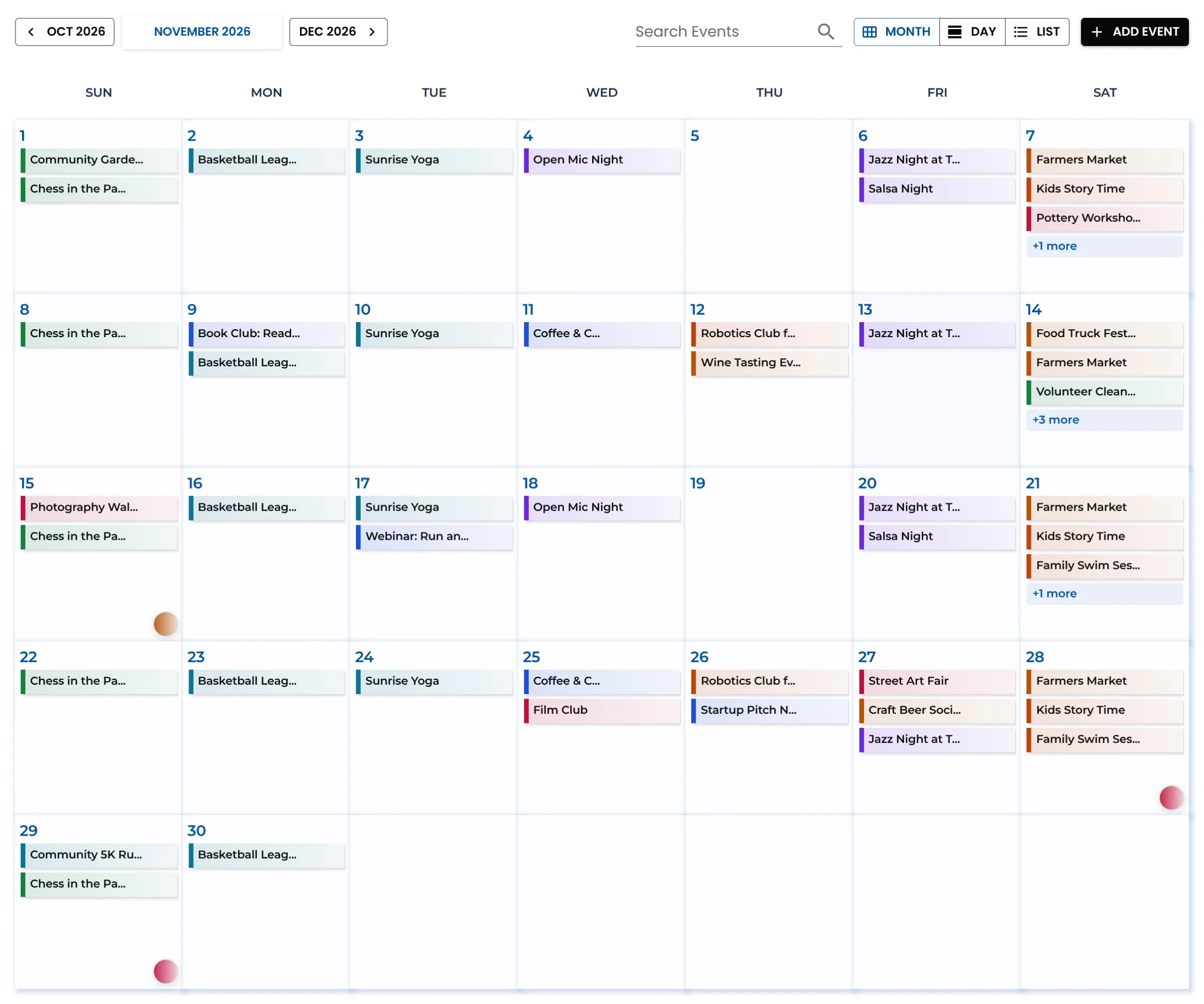
Month, list and day views, Google Calendar import, event submissions from visitors and per-event timezones — free, and ready on your site in five minutes.
No account needed · No locked features · Works with any theme
100% free
No locked features, no event limits
Google Calendar
Import, with one-click sync
Submissions
Visitors send events, you approve
1-click switch
From The Events Calendar
Free, not an add-on
Bring your events in. Let visitors send theirs.
Two features The Events Calendar sells as paid add-ons, included in the free plugin.
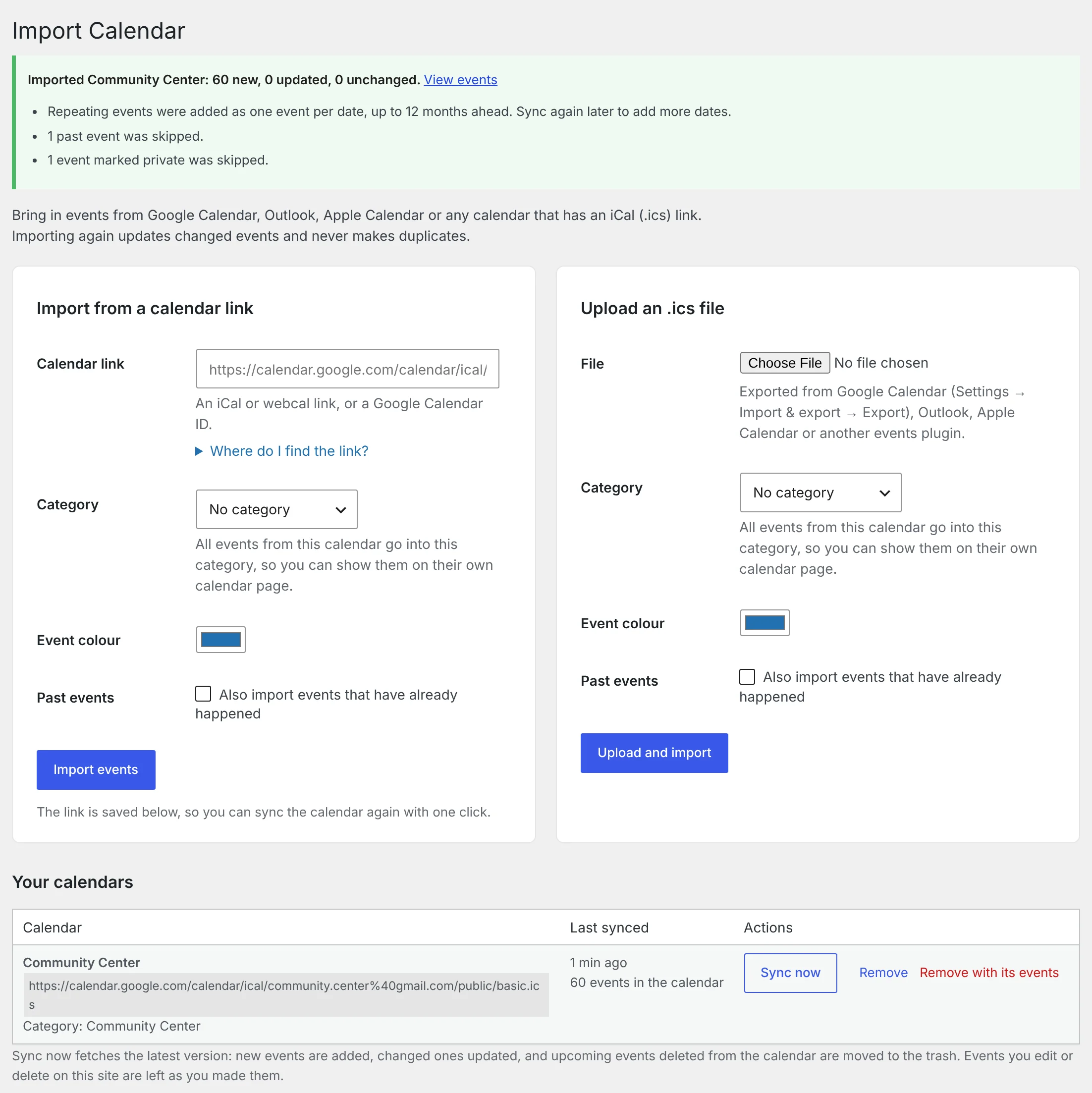
Import from Google Calendar
Paste a link from Google Calendar, Outlook or Apple Calendar, or upload an .ics file. The events appear on your calendar with their dates, times and places, and one click brings in the latest changes.
- Google, Outlook, Apple and any iCal feed
- Repeating events become one event per date
- Moved and cancelled dates are kept in step
Event submissions from visitors
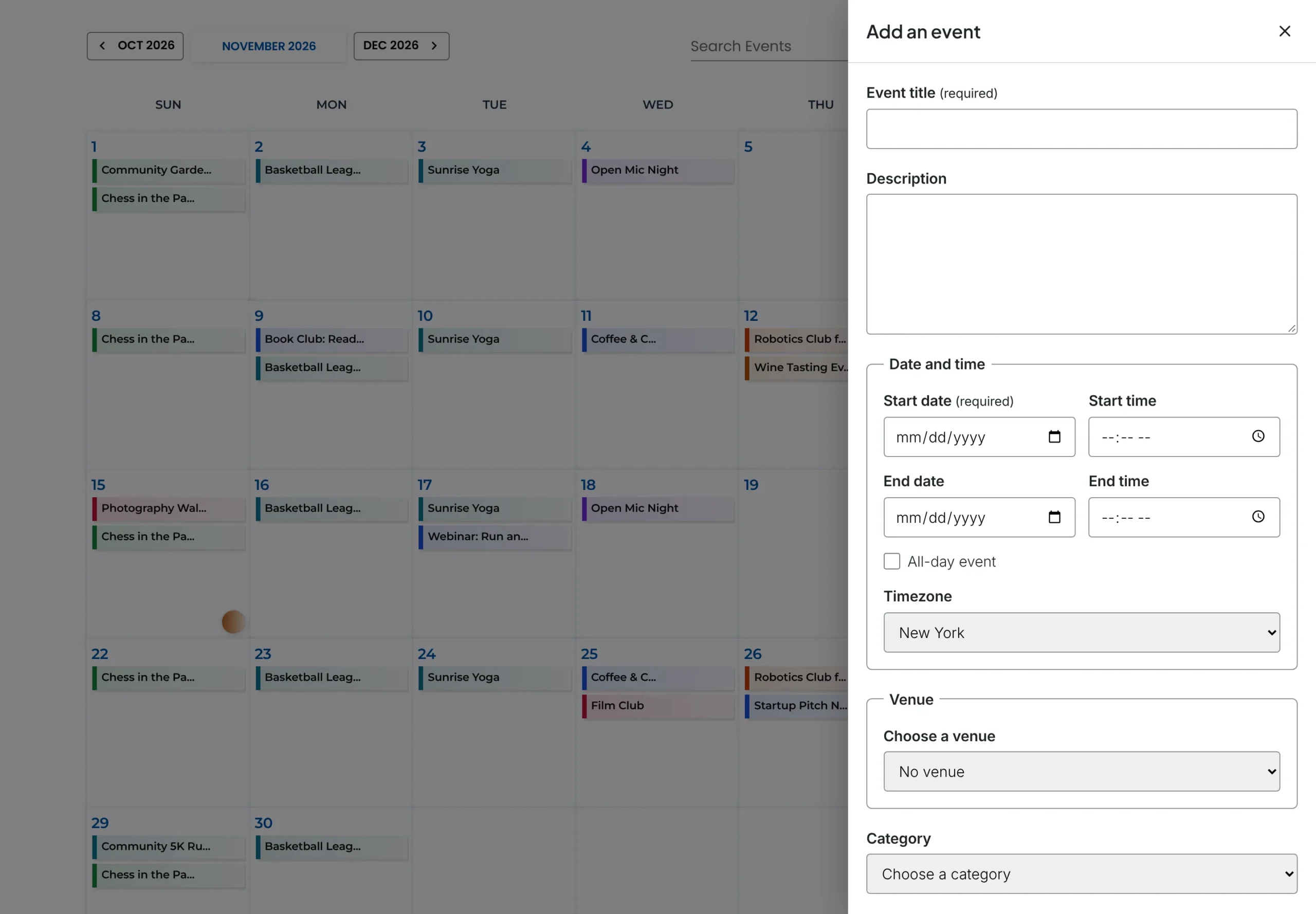
Put a Submit an Event form on any page, or an Add event button right on the calendar. Choose who may submit, and approve each event before it goes live.
- Form block, shortcode or popup on the calendar
- Approve or reject from the email or the Events list
- Spam protection without a CAPTCHA
Features
Everything an events calendar needs. Nothing it doesn’t.
Publish events in minutes, show them three ways, and let visitors save them to their own calendar — all in the free plugin.
Three calendar views
Month grid, upcoming list and daily agenda. Visitors switch with one click.
The right time, everywhere
Each event keeps its own timezone and visitors see their local time. All-day events never drift.
Venues and organizers
Save them once and reuse them on every event, with address, phone, email and website.
Block or shortcode
Insert the Monthly Events Calendar block, or paste one shortcode into any page builder.
Add to Calendar
Every event page has a button for Google, Apple, Outlook.com, Yahoo, Microsoft 365 and Teams.
Switch from The Events Calendar
Your existing events show up instantly, read-only. Import them when you’re ready.
Calendar views
One calendar, three ways to browse
Pick a default view for each page. Visitors can switch any time, and the calendar adapts to phones and tablets.
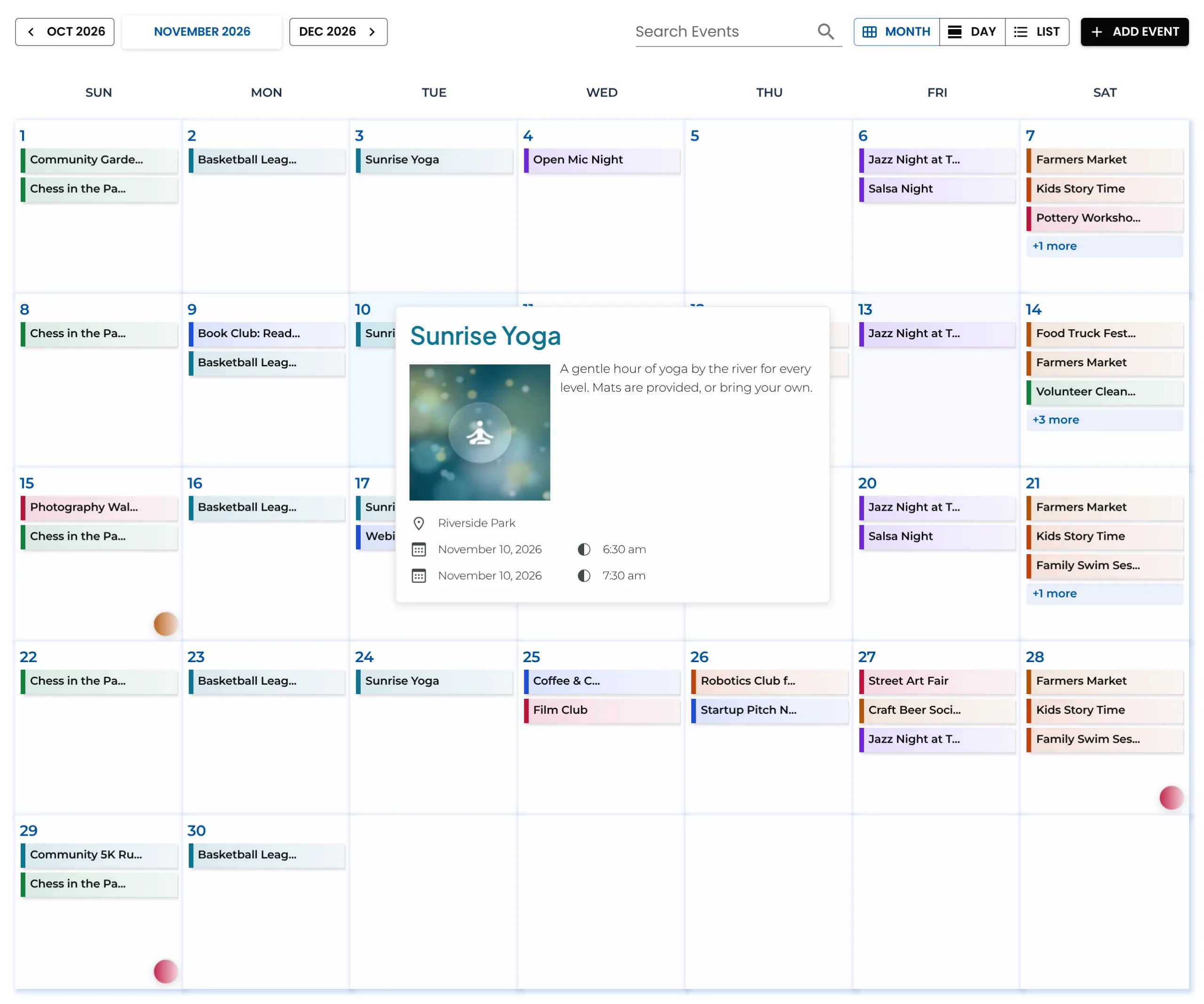
Monthly view
Colour-coded events on a clean month grid. Hover an event for its details, or click a date to open that day.
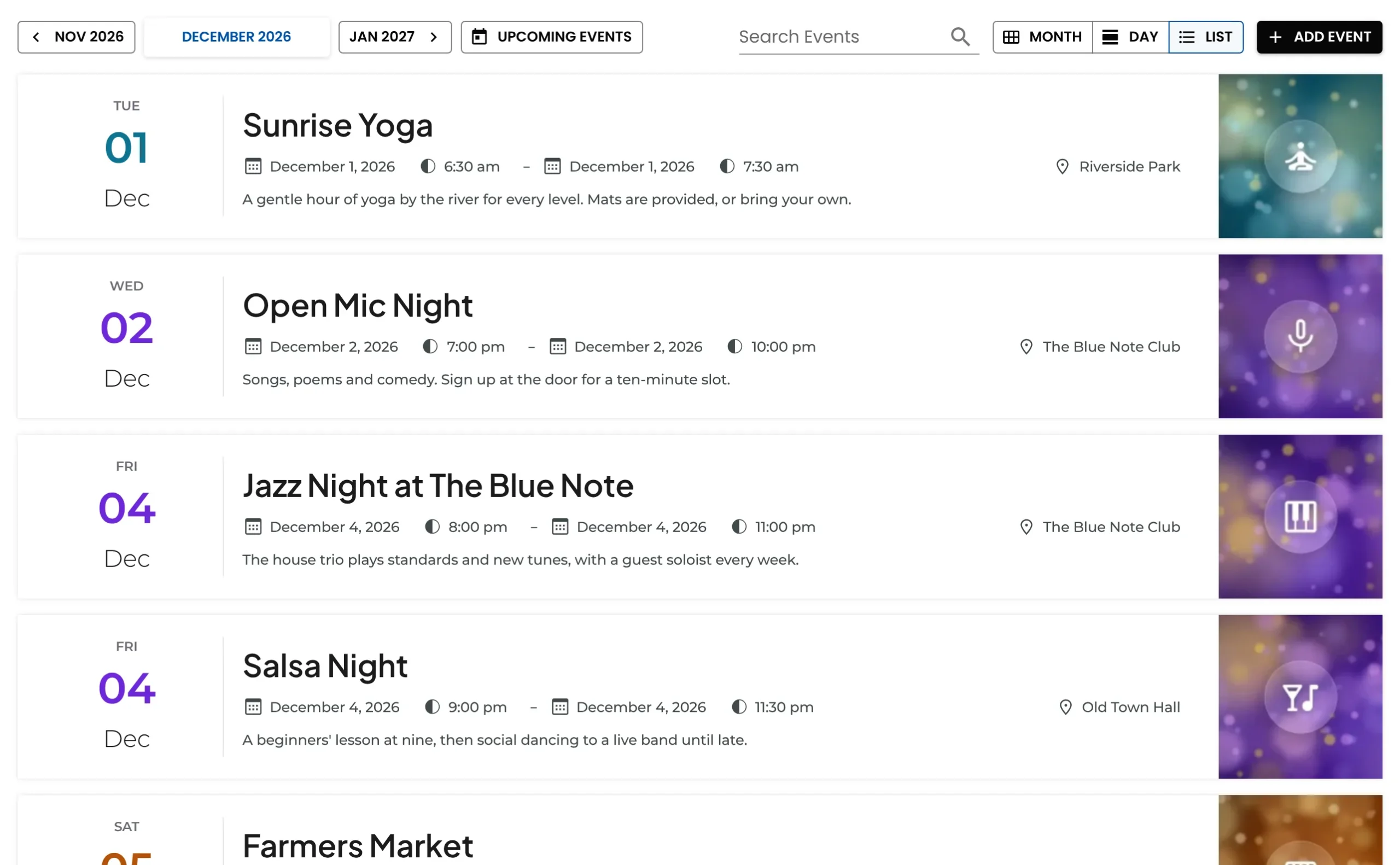
List view
Upcoming events in date order, with time, venue and a short description. Perfect for a homepage section.
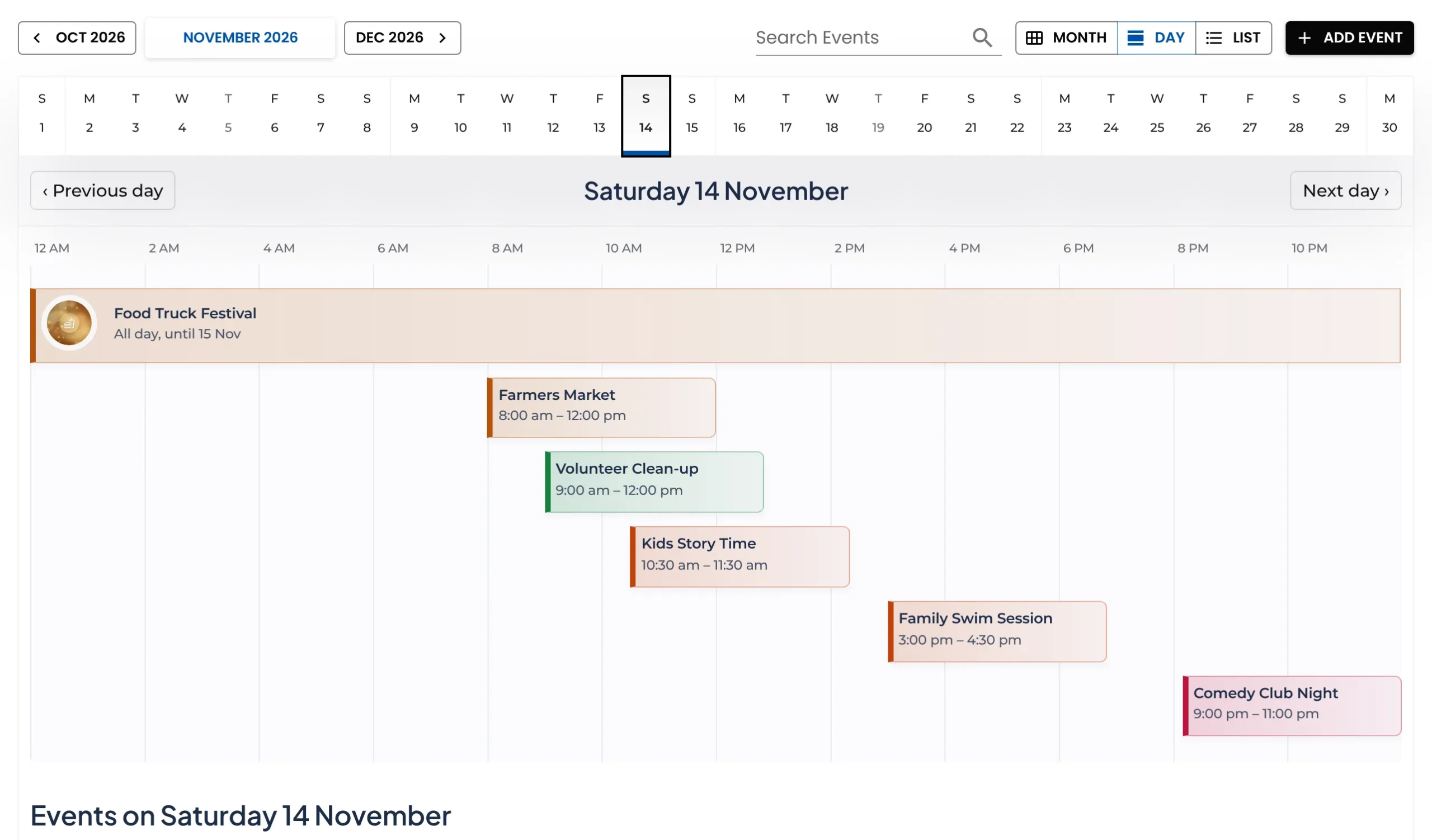
Daily agenda
One day’s schedule on a timeline, with a strip of dates to jump around the month. Ideal for conferences and classes.
How it works
Live in three steps
1
Install the plugin
In your dashboard go to Plugins → Add New Plugin, search for “Monthly Events Calendar”, then install and activate it.
2
Add your events
Dates, all-day or timed, timezone, venue, organizers and a colour — all on one screen.
3
Publish the calendar
Add the Monthly Events Calendar block to a page, or paste this shortcode:
[wp_monthly_events]Risk-free switching
Coming from The Events Calendar?
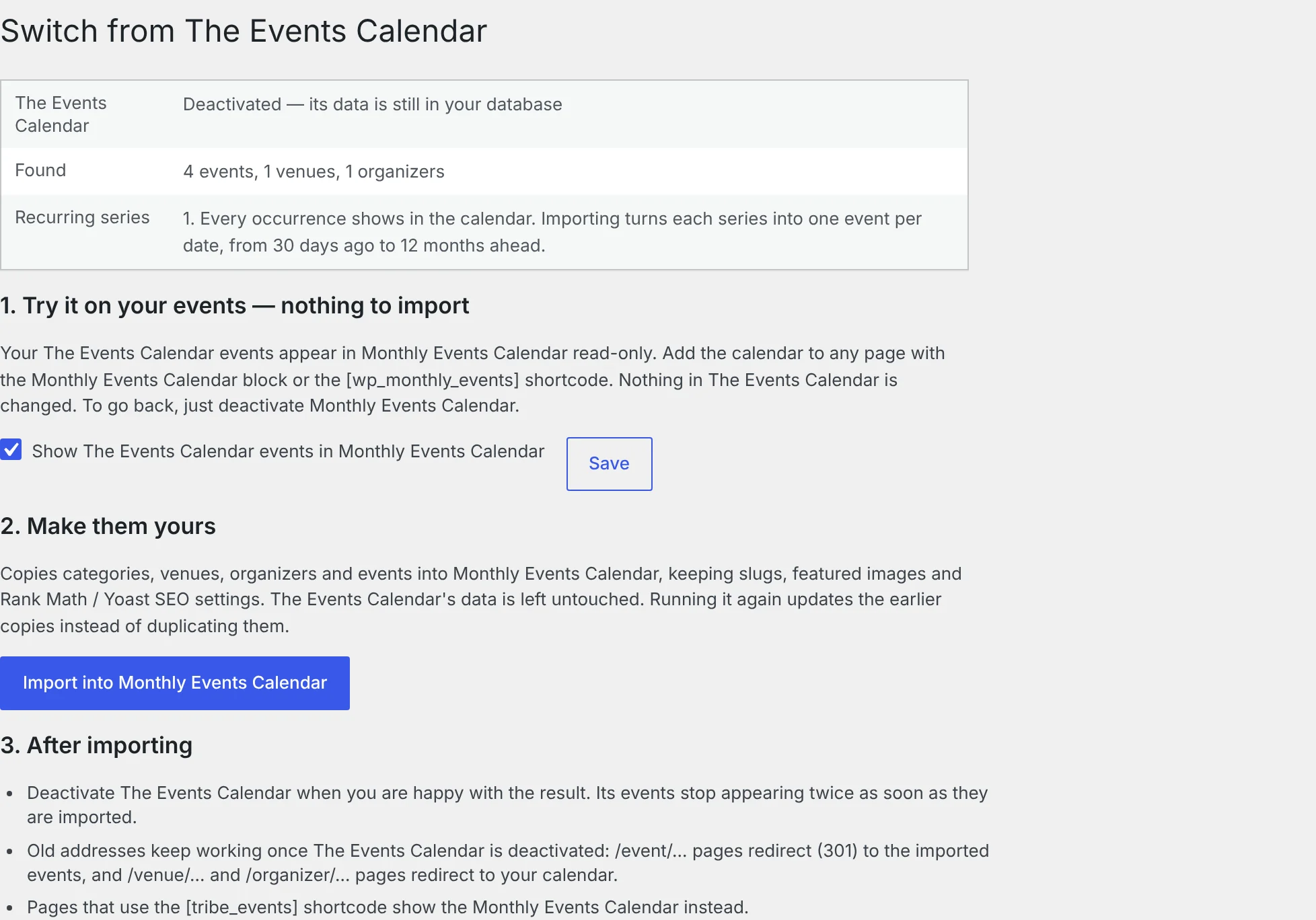
Install Monthly Events Calendar next to it and your existing events appear straight away — read-only, including every date of recurring series. Nothing is copied and nothing changes until you decide.
- Import categories, venues, organizers and events in one click
- Slugs, featured images and Rank Math or Yoast settings are kept
- Old event addresses redirect to the new pages
- Changed your mind? Deactivate it — nothing was touched
Built to last
Friendly for site owners and developers
For site owners
- Works with any theme and page builder
- Cache-friendly: events load after the page appears
- Translation-ready and Loco Translate compatible
- Free support in the WordPress.org forum
For developers
- Documented REST endpoint:
/wp-json/ecwp/v1/events - Override the event template from your theme
- Actions and filters for every part of the event page
- Open source under the GPL
Reviews
What people say
Free Events Submission is awesome feature
I have tried various paid plugins and this free event plugin submission is really awesome compared to them. I appreciate for your efforts.
Excellent Plugin
Excellent Light weight Calendar Plugin and your design is so so good. Good job guys..
Simple and easy!
Great from the start!
Questions, answered
Is Monthly Events Calendar really free?
Yes. The plugin on WordPress.org is free, with no event limits and nothing locked behind a licence. A separate Pro add-on for paid tickets and seating is planned; the features on this page stay free.
How do I add the calendar to a page?
Add the Monthly Events Calendar block in the block editor, or paste the shortcode into any page or page builder. You can choose whether it opens on the month, list or day view.
Will it work with my theme?
Yes. The calendar fits inside any theme’s content area and adapts to phones and tablets. Event pages use your theme’s header and footer.
Can visitors see times in their own timezone?
Yes. Each event is saved with its own timezone, and visitors see times in theirs. All-day events always stay on their date.
Can I import events from Google Calendar?
Yes. Paste your calendar’s iCal link under Events Calendar → Import Calendar, or upload an .ics file. Click Sync now whenever you want the latest changes. Outlook and Apple Calendar links work too.
Can visitors submit their own events?
Yes. Add the Submit an Event block or shortcode to a page, or turn on the Add event button on the calendar. You choose who may submit, and events wait for your approval.
Does it support recurring events?
Not yet — recurring events are planned for version 2.0. Repeating events imported from Google Calendar or The Events Calendar become one event per date.
Add your free WordPress events calendar plugin today
Free, open source, and ready in five minutes.