
Creating an event
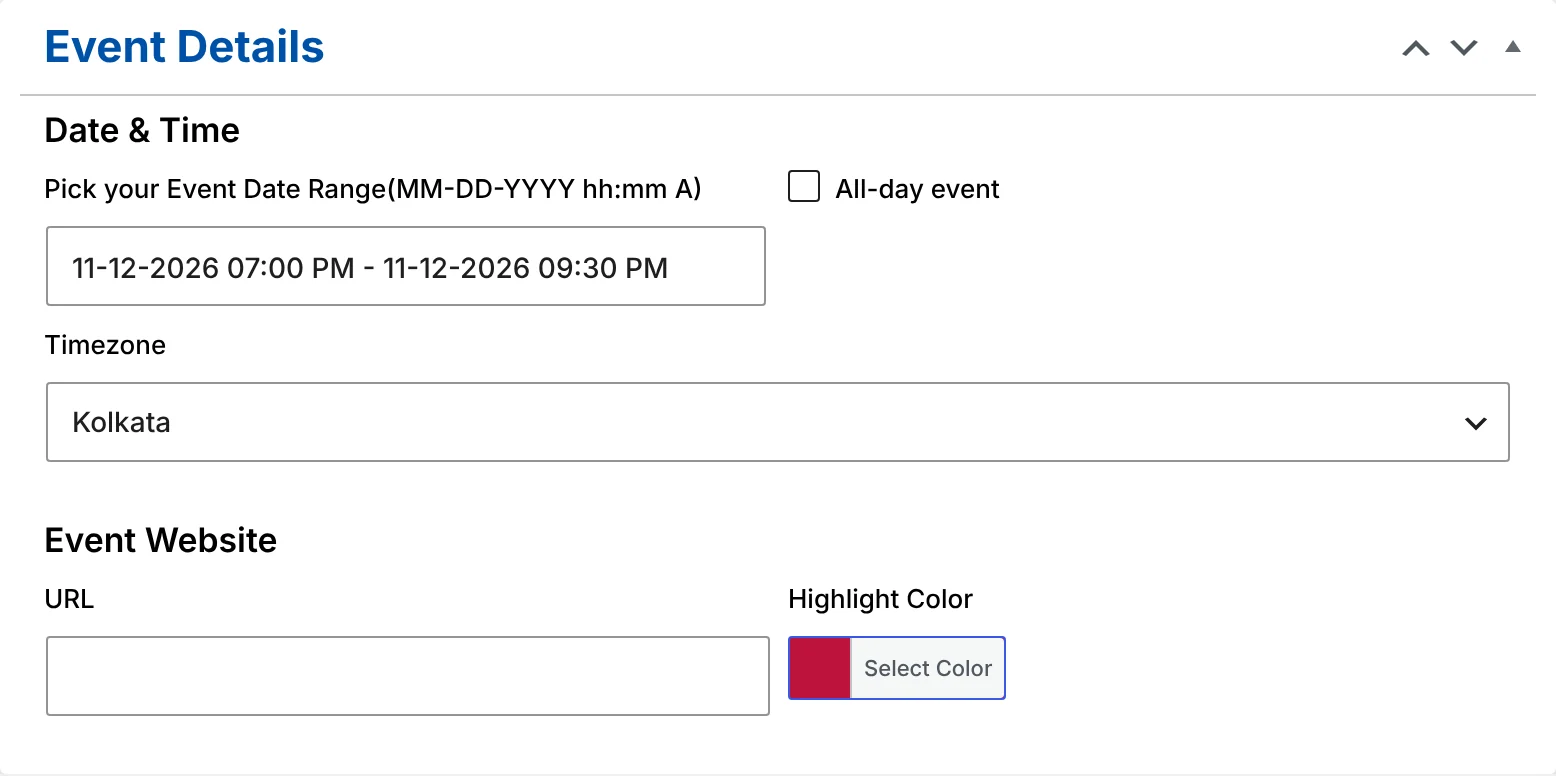
Go to Events Calendar → Add new Event and fill in:
- Title and description — the description appears on the event page and as a short excerpt in the calendar.
- Date and time range — pick start and end in one date-range picker.
- All-day event — tick it for holidays, festivals and deadlines.
- Timezone — defaults to your site’s timezone; change it for events held elsewhere. More on timezones
- Venue — pick a saved venue or create one on the spot.
- Organizers — add one or more, or create them inline.
- Event website — a link to tickets, registration or more information.
- Highlight colour — the colour the event uses in the calendar.
- Featured image, categories and tags.
Manage events in WordPress at scale
The Events list in the dashboard shows each event’s start and end date, venue and colour in their own columns, and you can sort by start date to see what’s next. Quick Edit is safe to use: since version 1.6 it never erases an event’s dates, website or colour.
Events, venues, organizers, categories and tags are standard WordPress content types, so they work with your existing tools — user roles, revisions, search, SEO plugins and import/export.
The event page
Every event gets its own page with:
- The featured image, title and full description.
- A sidebar with the start and end date, venue and address, categories, tags and website.
- Organizer contact details: phone, email and website.
- An Add to Calendar button for Google Calendar, Apple, iCal, Outlook.com, Yahoo, Microsoft 365 and Microsoft Teams.
- An “Ended” label once the event is over.
Developers can replace the template by copying single-wood-event.php into their theme, or adjust parts of it with hooks. Developer docs
Categories and tags
Group events with categories (for example Workshops, Concerts, Webinars) and tags. Each category and tag has its own page showing a calendar of only those events, with a link back to your main calendar page. You can change the URL slugs for events, categories and tags under Events Calendar → Settings.
More features
Venues and organizers
Reusable venue and organizer records with addresses and contact details.
Timezones and all-day events
Each event keeps its own timezone; visitors see their local time; all-day events never drift.
Gutenberg block
Insert the Monthly Events Calendar block and pick a starting view in the sidebar.