
Feature
WordPress event list view
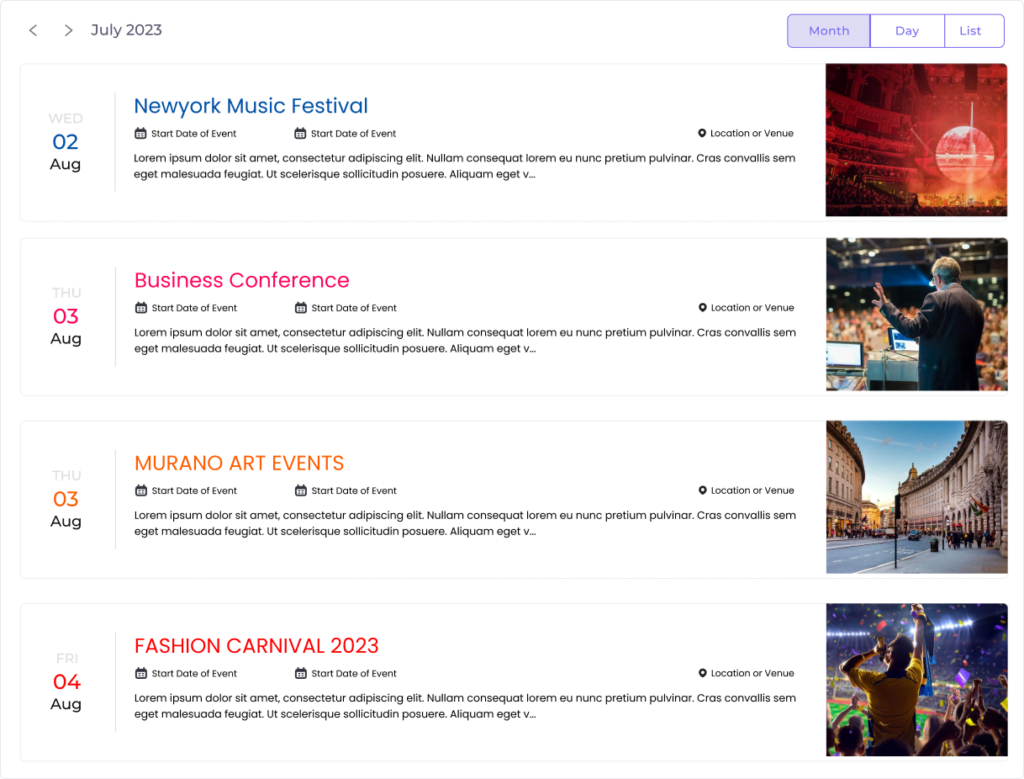
The WordPress event list view shows your upcoming events as a clean, scannable list — perfect for sidebars, landing pages, and anywhere a full calendar grid would be too much. Add it with one shortcode and it stays fast on every device.
When to use the event list view
Not every page needs a full month grid. The list view is ideal when you want a compact, at-a-glance rundown of what’s coming up — a “next events” block on your homepage, a sidebar widget, or a dedicated upcoming-events page. Each entry shows the essentials — title, date, time, and venue — and links through to the full event details.
How to add the list view
- Open the page, post, or widget area where you want the list.
- Add the
[monthly_events]shortcode where the list should appear. - Publish. Your upcoming events populate automatically through the WordPress REST API.
Built to stay readable
The list reflows cleanly on phones and tablets, respects each visitor’s timezone so times are always correct, and includes built-in search so people can jump straight to the event they’re after. It inherits your theme’s fonts and colors, so it looks like a native part of your site rather than a bolt-on.
Want the full grid instead? See the monthly calendar view or the daily agenda view. New to the shortcode? Read the shortcode documentation.