
Front-end event submission, without the admin area
Add the Submit an Event block to a page, or paste the shortcode:
[wp_monthly_events_submit]People fill in the event’s title, description, dates, venue, category, website and image on your site. They never see the WordPress dashboard or your media library.
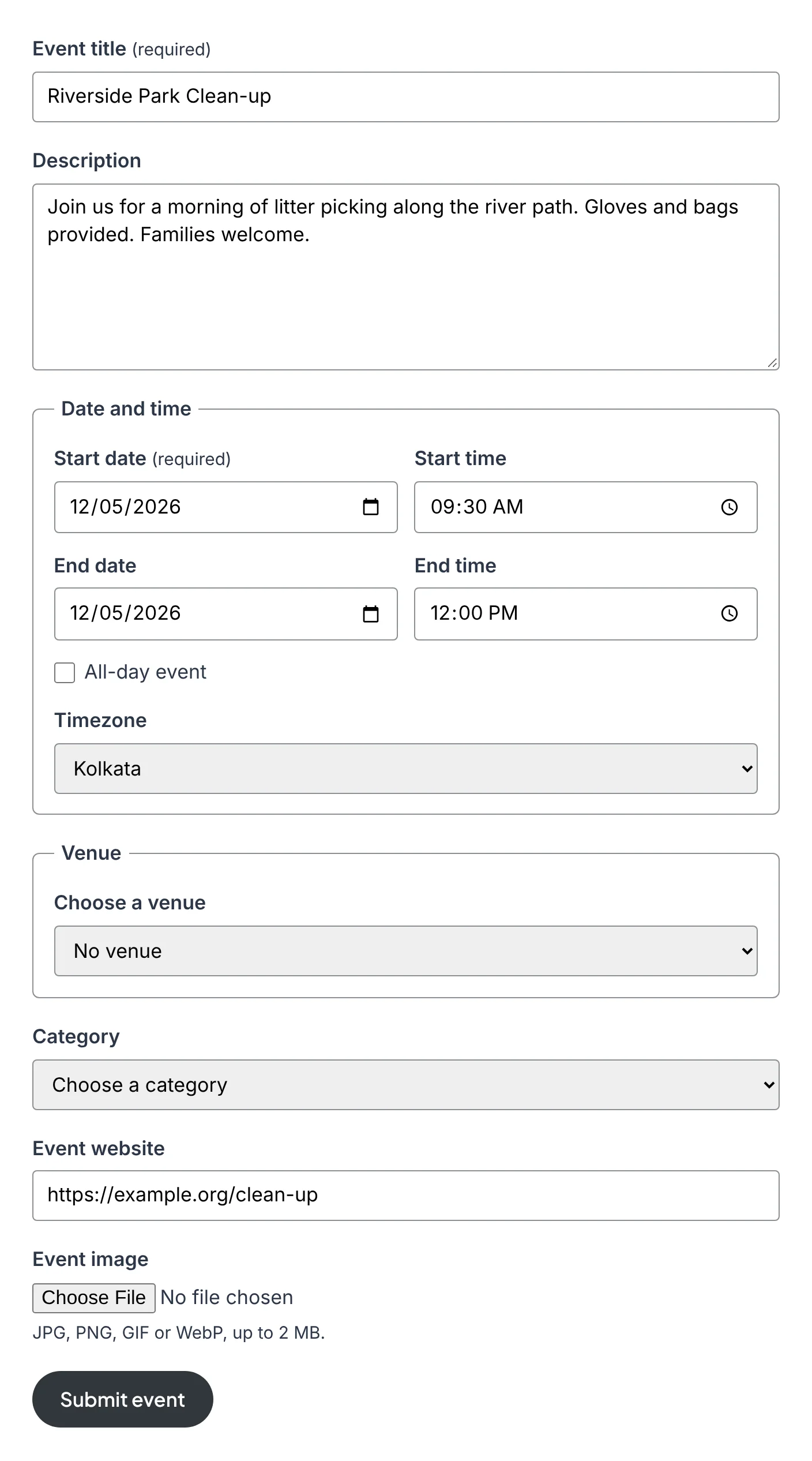
You decide who can submit
Under Events Calendar → Submissions, each role has two ticks: can submit events and publish without approval.
Trusted people publish
Let editors, or any role you choose, publish straight to the calendar.
Everyone else waits
Other submissions are held as pending until you approve them.
Members only, or open to all
Keep the form for logged-in users, or let visitors submit with a name and email.
The plugin adds an Event Submitter role for people who should only submit events. They can log in and use the form, and nothing else. Membership plugins that assign roles work with it, so “members can post events” needs no extra code.
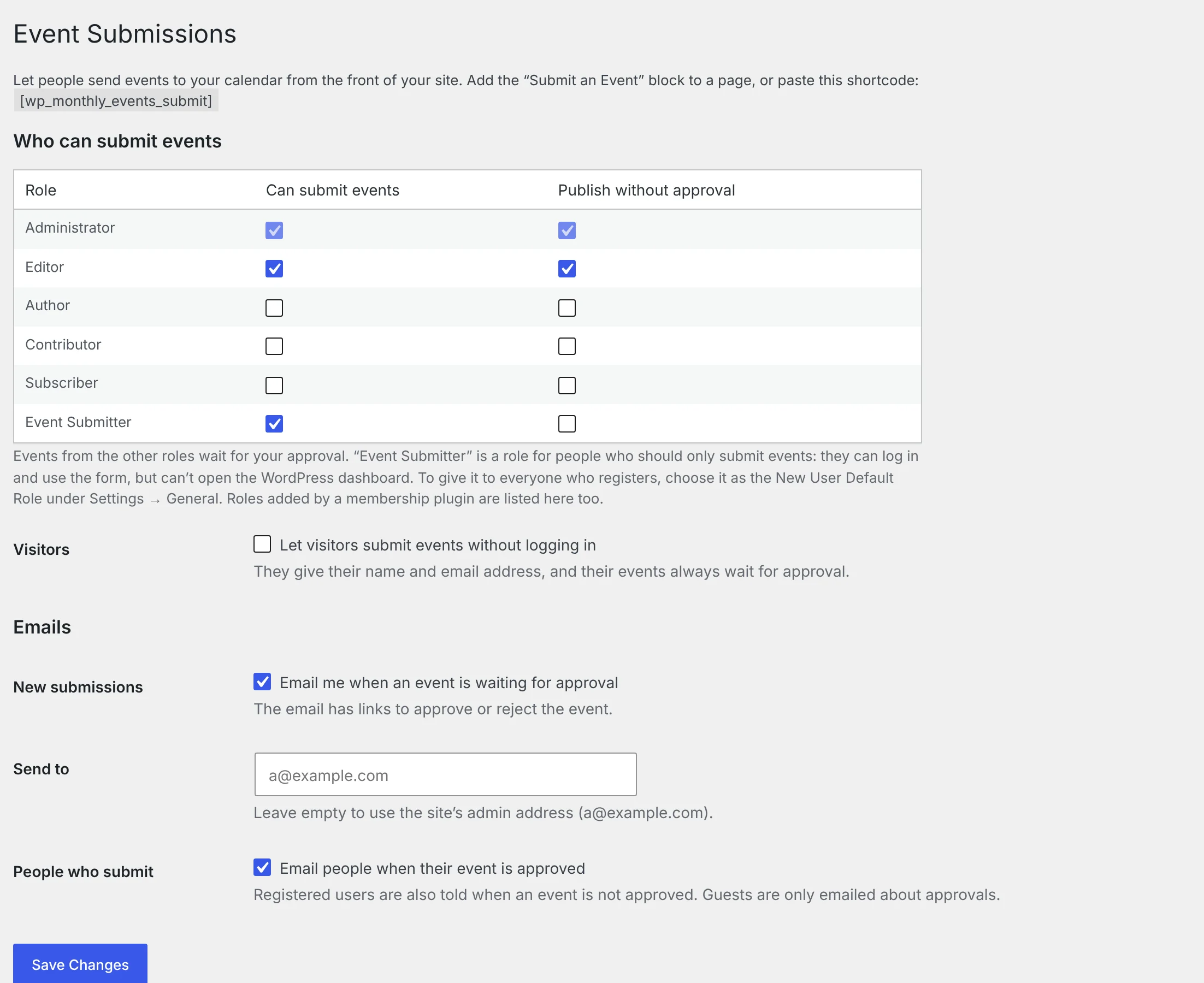
Approve from your inbox
When an event is waiting, you get an email with two links: Approve and publish and Reject. You can also approve or reject from the Events list, where each submitted event shows who sent it. When you approve an event, the person who sent it gets an email with a link to it.
Spam protection with nothing to set up
The form has a hidden trap field, a timing check and an hourly limit per visitor. There’s no CAPTCHA to solve and no outside service involved. Visitors’ events always wait for approval.
Fits the form you want
- Hide optional fields:
[wp_monthly_events_submit hide="timezone,website"] - Send every event from a form to one category:
category="music" - Change the button text, or send people to a thank-you page:
button="Send",redirect="/thank-you/"
Already using Gravity Forms or another form plugin? Your own form can create events with one function. Create events from other forms
Also in 1.8
- A calendar per category:
[wp_monthly_events category="music"], or the Category setting on the block. Categories - Event details for search engines: event pages with a venue include Event structured data, which Google can use to show the date and place in search results.
Is this really free?
Yes. The form, the role settings, approval and emails are all in the free plugin. Some other calendar plugins sell front-end submission as a paid add-on.
Can people edit their events after sending them?
Not from the front of the site yet. A “my events” page is planned for the Pro add-on. Until then, you can edit a submitted event yourself.
Can I charge for event listings?
Not directly. A membership plugin that sells access to a role can give that role permission to submit.
More features
Monthly calendar view
A clean month grid with colour-coded events, hover previews and one-click jumps to any day.
List view
Upcoming events in date order with venue, time and description — ideal for homepages.
Daily agenda view
One day’s schedule laid out by time, with a date strip to move through the month.